THE PLAYBOOK · ZHOUSIMIAN
Rules, controls and help for Minesweeper
Bring your attention to one round of Minesweeper. Open all 71 safe cells. Opening a mine ends the round. Flags help you mark suspected mines but do not replace opening safe cells. Choose a clear next step rather than rushing through the instructions. Identify the playing area and the controls you need. Look at what changes after your first action.
Try a more deliberate round
Keep the stated aim separate from side details such as animation or appearance. Progress is measured by the game’s own completion or scoring rules. Refer to the controls when needed.
What you are aiming for
Open all 71 safe cells. Opening a mine ends the round. Flags help you mark suspected mines but do not replace opening safe cells. The feedback beside the game helps you follow the round. Follow this game’s rules rather than another version’s.
The playing sequence
- Open a covered square to reveal it.
- A number counts mines in the surrounding eight positions.
- Right-click to flag on a computer, or enable Flag mode on a phone.
- Use safe deductions to open the remaining cells.
Getting comfortable with the controls
Click/tap to open. Right-click to flag, or use the Flag mode toggle for touch devices. Keep the playing area visible while using these controls. Check any mode label before starting.
Follow the example
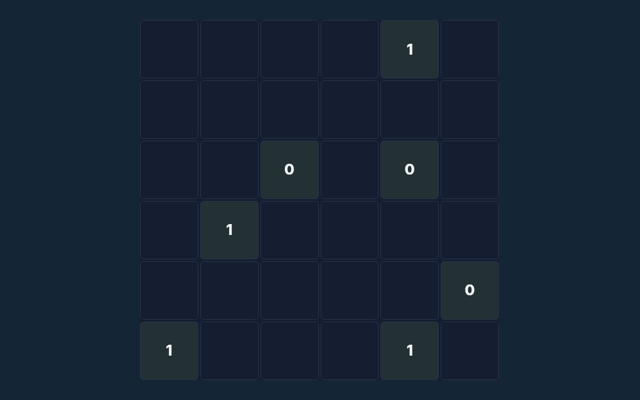
A revealed 1 with only one covered neighbour means that neighbour contains a mine. Compare this with the rule that governs the move. Look for the relevant detail.
Pay attention to this rule
A flag is your own note, not a confirmation from the game. Remove a mistaken flag before opening that square. Read the feedback to see why an action did not have the expected result. Choose one rule to keep in mind for this round. Apply it consistently rather than guessing what another version might allow.
Read these answers for extra help
For this browser game, what is the goal of Minesweeper?
The key detail is this: Open all 71 safe cells. Opening a mine ends the round. Flags help you mark suspected mines but do not replace opening safe cells.
For a quick reminder, how do I control Minesweeper?
For clarity: Click/tap to open. Right-click to flag, or use the Flag mode toggle for touch devices.
Before I begin, what example helps explain Minesweeper?
For clarity: A revealed 1 with only one covered neighbour means that neighbour contains a mine.
Before I begin, what should I watch out for in Minesweeper?
Here is the relevant explanation: A flag is your own note, not a confirmation from the game. Remove a mistaken flag before opening that square.
While reading the Guide, what format does Minesweeper offer?
Play using the solo mode shown on this page. Read the controls before starting a new round.
For a quick reminder, which play mode does Minesweeper use?
Here is the relevant explanation: The mode on this page is Solo. Same-device play uses one screen; this game library does not provide internet matchmaking.